Country lists and accommodation statistics
Create Important Lists & Statistics
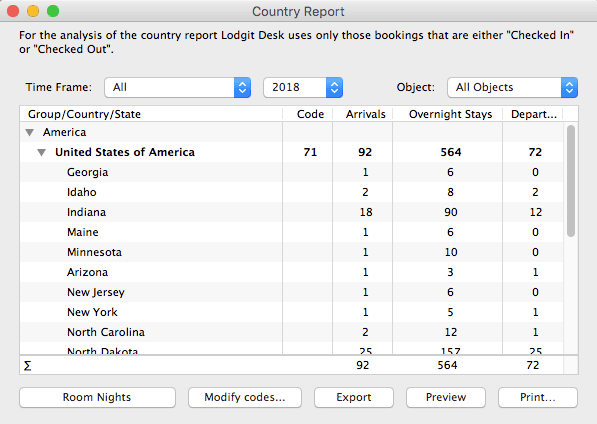
Lodgit Desk creates a monthly report of the number of overnight stays, broken down by the country of origin of your guests. This makes it extremely easy for owners of hotels, guesthouses, apartments, etc to create the monthly accommodation statistics required by some public authorities.
These reports not only list the number of arrivals and departures to your establishment, but also use the required official country codes. The analysis can be carried out for all buildings combined or for individual properties.
Housekeeping: Daily Cleaning Schedule
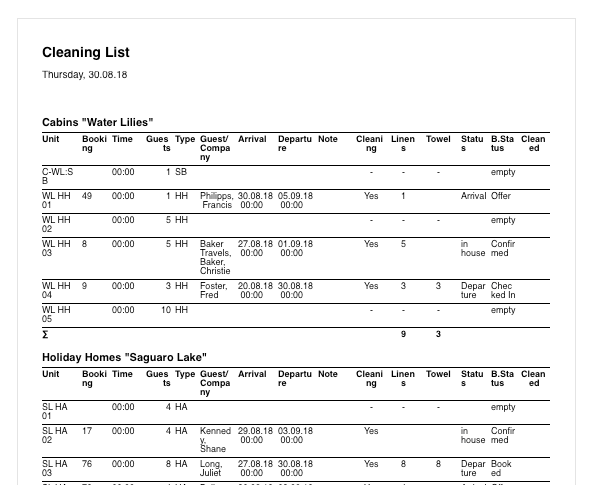
Furthermore, Lodgit Desk creates an up-to-date daily cleaning schedule for your hotel. This housekeeping list can be printed out and passed on to your cleaning staff or housekeeping team. The list will show only those accommodations that have the cleaning status ‘Must be cleaned’ and/or ‘Laundry must be changed’.
The cleaning status can be changed automatically at fixed cleaning intervals. This status can be set individually for each room, apartment or holiday home within property management.
Lists For Extra Items (e.g Catering Lists etc)
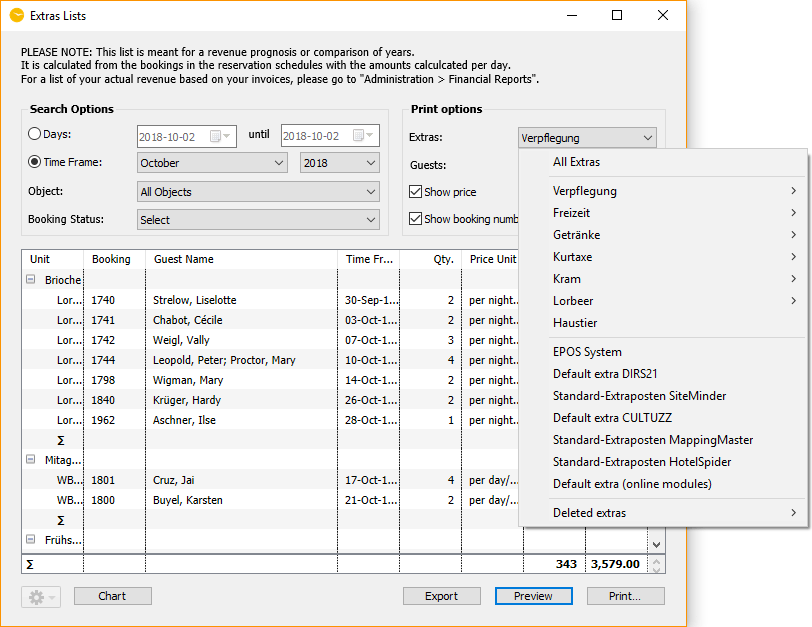
Extra item lists provide you with a detailed evaluation of all additional services over a specified period of time, which can also easily be printed out.
For example, you may wish to give your kitchen staff a list of all breakfasts and dinners ordered for any day or period, or get a quick overview of the tourist tax collected in the last month.
Check-in and Check-out Lists
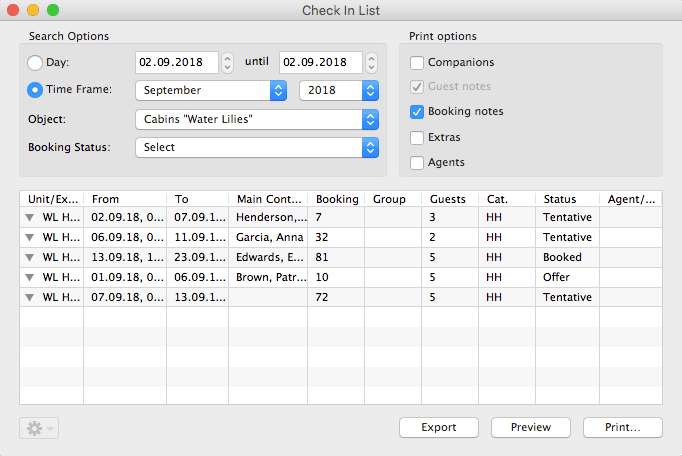
In Lodgit Desk, you can use the check-in/check-out lists to obtain a detailed evaluation of all arriving/departing guests for a specific period.
When printing, notes about the guest or the booking as well as the booked additional services (extra items) are optionally displayed.
Accommodation List for Easy Turnover Forecasting
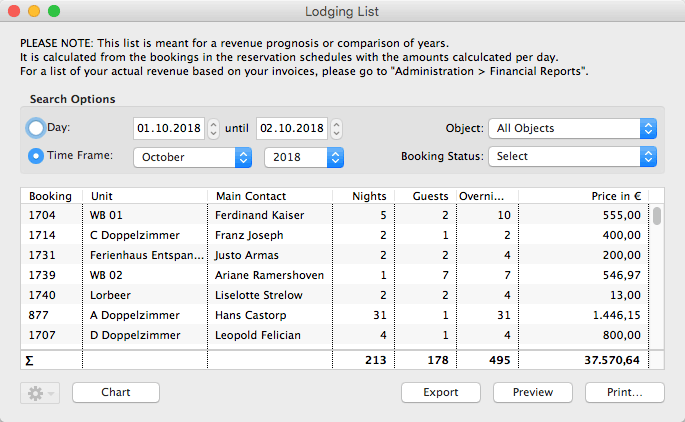
With the help of the accommodation list, you can evaluate both the past and expected future turnover of your hotel services for specified time frame, as well as being able to print out a list of these bookings. For this analysis it is irrelevant whether an invoice has already been created for the lodging service. In principle, all accommodation services are evaluated on a daily basis, although you can optionally limit the selection to certain booking statuses.
Guest List
In addition to the quick display of currently checked-in guests in the main window at the bottom left, Lodgit Desk also offers a more comprehensive guest list. This list of all guests can be limited to a select time period, a specific property, or a particular booking status.
Brokerage Sales Statistics
Using the agent statistics, you can display an evaluation of the booking turnover for a specific period, which was generated by external agents who receive a commission from you. This evaluation can of course also be easily printed out.
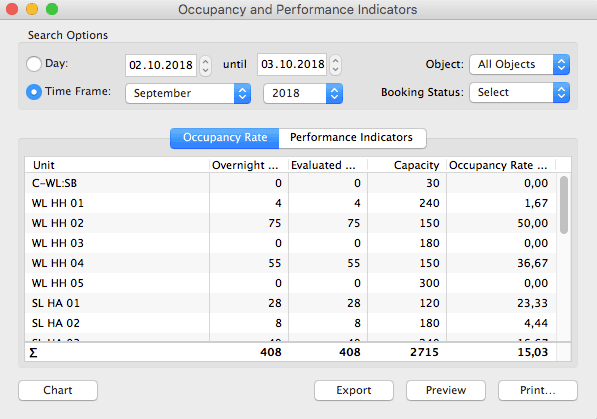
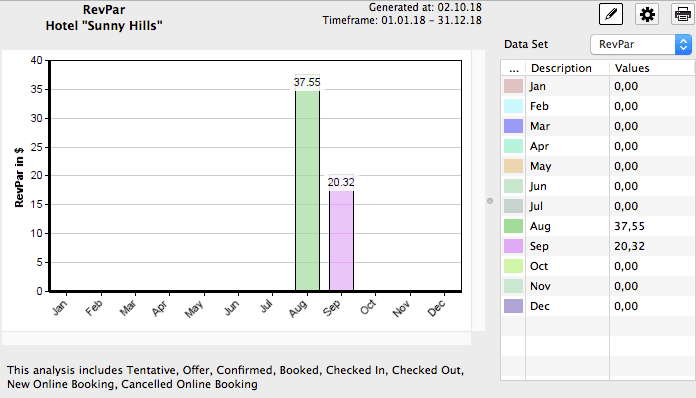
Evaluation of Room Occupancy & RevPAR
Lodgit Desk calculates certain key performance figures for you, such as occupancy rate and RevPar (revenue per available room). RevPar results from the occupancy and the total revenue of the rooms and can be calculated for any period.